Headers, and the one space that gets you smuggled
The header field-line loop - lowercase names on store, skip and trim optional whitespace, collapse repeats into a list, and reject whitespace before the colon with a 400 instead of repairing it.
- Parse header field lines with a byte scan, lowercasing names on store and trimming OWS from values.
- Collapse repeated header fields into a list without allocating anything for the common single-value case.
- Reject whitespace before the colon with HttpError(400, ERR_HEADER_WS_BEFORE_COLON) and explain which smuggling vector it closes.
This lesson completes next() with the loop that reads each field line. We'll define the stored case of field names, remove the optional whitespace around values, and reject whitespace before a colon.
Case-insensitive names, lowercased on store
RFC 9110 says field names are case-insensitive. Host, host and HOST are the same header. But a JavaScript object key is a case-sensitive string. So if you store the byte-for-byte name which the client happened to send, and later your code looks up host, the two will match only when the client's casing happens to match your guess - and you don't control that.
The rule closes this gap at the source itself. Lowercase the name once, at the only place where names enter the system (the parser), and never compare case again. You store into the header map keyed by the lowercased name, and header() already lowercases its argument, so header("Host"), header("host") and header("HOST") all land on the same key. One normalization at the entry point, that's it.
Only the name gets lowercased. The value from Host: EXAMPLE.com stays as EXAMPLE.com. A conforming field name contains ASCII token bytes only, so the parser doesn't need any language-specific case rules.
OWS, the whitespace that is not part of the value
This is the grammar of a field line (RFC 9112).
field-line = field-name ":" OWS field-value OWSOWS means optional whitespace i.e zero or more spaces or horizontal tabs. It can appear after the colon and before the CRLF. So host: example.com and host:example.com carry the same value, example.com. After finding the colon, skip the leading spaces and tabs. After reaching CR, move the value's end index backward over the trailing spaces and tabs.
The one space that gets you smuggled
OWS is allowed after the colon. RFC 9112 section 5.1 forbids whitespace between the field name and the colon, and it says a server MUST reject such a line. MUST is the RFC keyword for an unconditional requirement.
Why so strict about one space? Because it is a request-smuggling vector. Consider the field line Host : evil.
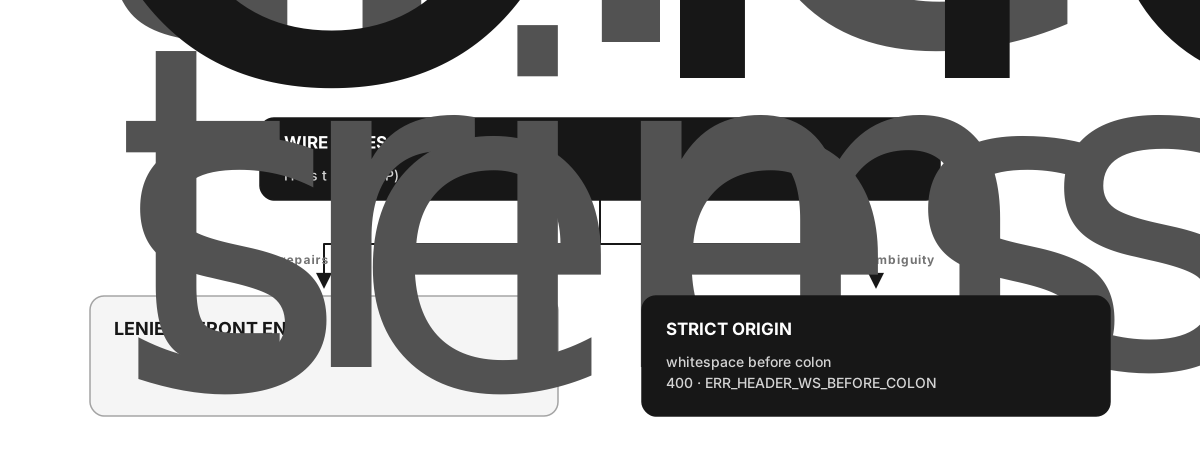
Figure 2.4 - If you repair whitespace before the colon, a front end and an origin can end up assigning different meanings to the same bytes.
A lenient proxy can trim the space and store host. A strict origin can read the bytes before the colon as host , which is a different name altogether. Now the two parsers disagree about the request. Rejecting the field line with HttpError(400, "ERR_HEADER_WS_BEFORE_COLON") stops the origin from processing either interpretation.
The name scan also guards two more malformed cases with ERR_INVALID_HEADER - a CR or LF inside the name (a broken line), and an empty name (a colon at the very start of the line). The value scan rejects a bare LF in the same way, and the terminator check rejects a CR which is not followed by LF.
Repeats become a list, cheaply
A field name can appear more than once. The storage rule is just three lines, and it pays for itself.
- First occurrence of a name - store the value as a plain string.
- Second occurrence - replace the slot with a two-element array
[first, second]. - Third and beyond - push onto that array.
Most requests never repeat a header, so most slots stay as simple strings and no array gets allocated at all. This is what makes headerAll trivial today, and it keeps the list semantics intact when a later chapter rebuilds the storage. header() returns the first element, and headerAll() gives back the whole list.
The loop, and where it exits
The header loop starts with i after the request line's CRLF and runs till the header block terminator.
set req._headerMap = a null-prototype object
  loop:
    out of bytes         -> WANT_MORE (return null)
    a CR here            -> the empty line: confirm LF, set DONE, RETURN the Request
    otherwise            -> read one field line, store it, continue
The terminator check comes first in every iteration. A CR sitting where a field name should start is the blank line, and confirming its LF, stepping over both, and returning the Request is the only exit that produces one. Everything else is a field line - scan the name till the colon (with the guards above), skip OWS, scan the value till CR, trim the trailing OWS, confirm the CRLF, then materialize the lowercased name and the byte-preserved value and store them.
The parser decodes header tokens with latin1. This encoding maps each byte value directly to one JavaScript code unit with the same numeric value. The mapping never splits a multibyte sequence, and it can preserve every input byte. Percent encoding writes a byte as % followed by two hexadecimal digits, like %20 for a space. Those characters stay unchanged. A later chapter handles body character encodings separately.
Complete next() in src/parser.js by adding the header loop after the request-line scan, replacing the terminator-only handling from the previous lesson.
- Before the loop, assign
req._headerMap = Object.create(null)and keep a reference to it. - Loop forever.
i >= lenreturnsnull(WANT_MORE).- If
buf[i] === CR, it is the terminator. Ifi + 1 >= len, returnnull(partial terminator); ifbuf[i + 1] !== LF, throwERR_INVALID_HEADER; otherwisei += 2, set_state = DONE, and returnreq. - Otherwise read one field line.
- Scan the name from
ito the firstCOLON. Inside the name, aCR/LFthrowsERR_INVALID_HEADER, and aSP/HTABthrowsERR_HEADER_WS_BEFORE_COLON.i >= lenreturnsnull. An empty name (colon at the name's start) throwsERR_INVALID_HEADER. Step over the colon. - Skip OWS - advance past
SP/HTAB. MarkvalueStart. - Scan the value till
CR(aLFinside throwsERR_INVALID_HEADER;i >= lenreturnsnull). SetvalueEnd = i, then walk it back over the trailingSP/HTAB. Confirm the followingLF(partial returnsnull; aCRnot followed byLFthrowsERR_INVALID_HEADER). Step over the CRLF. - Materialize the name as
buf.toString("latin1", nameStart, nameEnd).toLowerCase()and the value asbuf.toString("latin1", valueStart, valueEnd). Apply the repeat rule and store them.
- Scan the name from
Every reject is HttpError(400, <code>), and every "not enough bytes yet" is return null.
Reveal these one at a time, and only when you are genuinely stuck. Each one tells you a little more than the last - none of them is the answer.
Feed the parser a request with mixed-case names, a query string and a repeated header, and inspect everything it produced.
node -e '
  import("./src/parser.js").then(({ Parser }) => {
    const p = new Parser();
    p.push(Buffer.from("GET /users?id=7 HTTP/1.1\r\nHost: EXAMPLE.com\r\nAccept: text/html\r\nX-Dup: a\r\nX-Dup: b\r\n\r\n", "latin1"));
    const req = p.next();
    console.log("method  :", JSON.stringify(req.method));
    console.log("path    :", JSON.stringify(req.path));
    console.log("header(Host):", JSON.stringify(req.header("Host")));
    console.log("header(host):", JSON.stringify(req.header("host")));
    console.log("headerAll(x-dup):", JSON.stringify(req.headerAll("x-dup")));
    console.log("headers :", JSON.stringify(req.headers));
})'method : "GET"
path : "/users"
header(Host): "EXAMPLE.com"
header(host): "EXAMPLE.com"
headerAll(x-dup): ["a","b"]
headers : {"host":"EXAMPLE.com","accept":"text/html","x-dup":["a","b"]}header("Host") and header("host") both find the value. The value keeps its original case because only the name is lowercased. The repeated X-Dup becomes a two-element array. And a space before the colon gets refused.
node -e '
  import("./src/parser.js").then(({ Parser }) => {
    const p = new Parser();
    p.push(Buffer.from("GET / HTTP/1.1\r\nHost : evil\r\n\r\n", "latin1"));
    try { p.next(); console.log("NO THROW -- your parser can be smuggled"); }
    catch (e) { console.log(e.code, e.statusCode); }
})'ERR_HEADER_WS_BEFORE_COLON 400A partial header block is still WANT_MORE, so nothing throws.
node -e '
  import("./src/parser.js").then(({ Parser }) => {
    const p = new Parser();
    p.push(Buffer.from("GET / HTTP/1.1\r\nhost: exam", "latin1"));
    console.log("partial:", p.next());
})'partial: nullheader("host")returnsundefinedbut the client did sendHost:- means you stored the name in its original case. Lowercase on store, at the parser, once.Host : evilparses cleanly instead of getting rejected - means you trimmed the space before the colon instead of throwing. That trim is exactly the smuggling repair; refuse the line withERR_HEADER_WS_BEFORE_COLON.- A value comes back with leading spaces, like
" example.com"- you didn't skip OWS after the colon. Advance past the spaces and tabs before markingvalueStart, and trim the trailing whitespace beforevalueEnd. - A field line with a bare
\ngets accepted - you didn't reject anLFwhere aCRwas required. ACRmust be followed byLF, and a loneLFinside a name or value isERR_INVALID_HEADER. - The terminator check runs after you try to read a name - so you read past the blank line into whatever follows. Test for
CRat the top of every loop iteration, before scanning any field name.
next() is complete now. It scans the request line, then loops over the field lines - lowercasing names on store, skipping and trimming OWS, collapsing repeats into a list, and rejecting whitespace before the colon with a 400, because that is a smuggling-class problem. It returns a fully populated Request at the terminator, null while it waits, and a 400 on anything malformed. The parser is finished. The next lesson wires it into a live server, and then breaks it on purpose, in five different ways.